
Story
Organize stories, chapters, and scenes, and write the lines inside a scene.
The Story panel holds the script. A project can contain several stories; one of them is the default, and each story has an entry scene.
Structure
| Level | Holds |
|---|---|
| Story | Chapters. One story per project is the default. |
| Chapter | Scenes, in order. |
| Scene | The lines that play. One scene is the story's entry. |
Deleting a scene removes its lines with it, and jumps that target it stop resolving. Deleting a chapter deletes the scenes inside it.
The scene editor
A scene opens as a tab and is edited as a list of rows. A row is either a line of dialogue or a direction — showing an image, playing audio, moving the camera, setting a variable, branching.
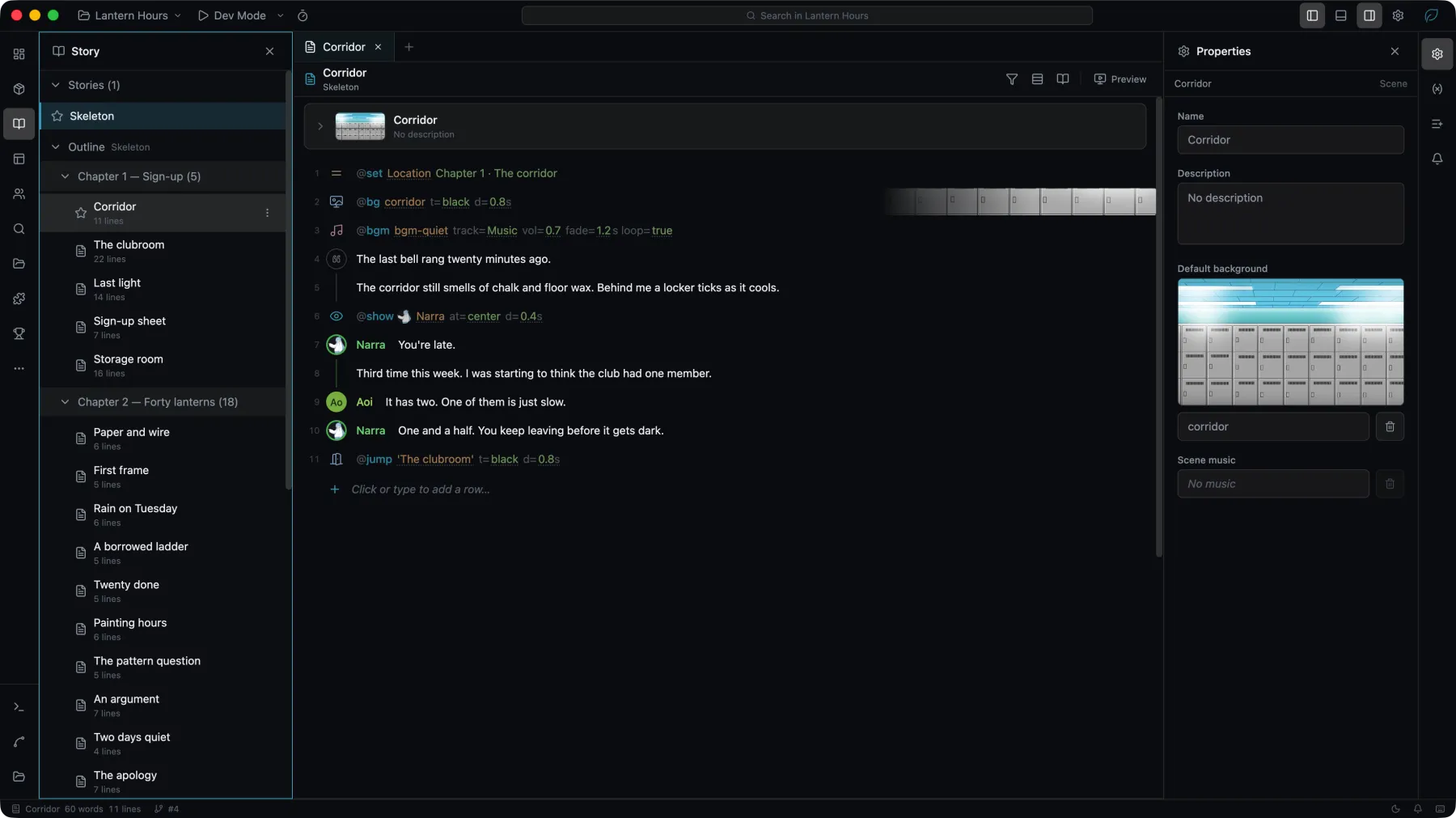

- Type
@or/in a row to insert a direction without leaving the keyboard. - Reading density and the row filter control how much of a scene is on screen; the filter can show dialogue only.
- Find in scene searches within the open scene, with case, whole word, and regular expression options, and replaces matches.
- Rows that reference a missing asset, or a name a character's model does not have, are marked in place.
Putting something on stage
It takes two directions. Image, Text and Ambience declare an object: the direction names it, gives it a source, and puts it where it starts. Nothing appears until Show reveals it, and Hide takes it away again. Both address the object by name.
Layer is the exception. A layer exists visible from the direction that creates it.
Declaring an object a few lines before showing it also loads its picture or clip ahead of time, so the moment it appears is not the moment it starts loading.
Ambience belongs to its scene, like everything else on stage. An overlay shown in one scene stops when the story jumps to another, and a scene that should have rain shows its own. Ctrl-click its name on a row to open the direction that declared it.
A Show of an ambience overlay can carry its own opacity and speed, which apply to that showing only.
The Project check reports an object that nothing shows, under Unshown stage object.
Playing a video
A video reaches the stage only through Play. A Play direction names the video file and the clip, shows the clip, plays it, and fades it off the stage when it ends. Later rows address the clip by that name: Pause, Resume, Seek, Stop and Hide. A second Play of the same name plays the clip again from the start.
Settings on a Play row:
- Wait for the video: on by default; the story continues once the video ends. The player can end the video early by clicking or pressing the skip key. Turned off, the story continues at once and the video plays under the rows that follow; clicks that advance the dialogue do not interrupt it.
- Hide when finished: on by default. Turned off, the video holds its last frame until a Hide takes it away.
- Exit and its duration: the video fades out or cuts when it leaves the stage.
- Muted: the video plays without sound.
Stop treats the video as having reached its end: it then fades out or holds its current frame, as its Play row says.
The video file loads from the start of the scene, so a Play row needs nothing declared ahead of it.
The Project check reports, under Video already finished, a row that pauses, resumes, seeks or stops a video after a Play of it that waits for the video to end.
Branching and variables
Choices, conditions, and jumps are written as directions in the scene. Story flow shows the resulting branches between scenes as a graph.
Variables are declared and read from the story, and their scope decides how long a value survives. See Variables.
Scripts
A scene or a whole story can be written out as a plain text file and read back.
| Mode | For |
|---|---|
| Round-trip | Editing outside Studio. The file carries the scene's data and can be imported again. |
| Review | Reading and diffing. Prose only, and cannot be imported. |
Import Script… reads a round-trip file back into the project. Pasting several lines of plain text into a scene offers to split them into rows.