
Model Runtimes
Live2D and Spine characters in Studio — what a drawing runtime does, why it is supplied rather than shipped with Studio, and where it lives in a project.
Most characters in a visual novel are pictures: one finished sprite per pose, or a stack of layers switched by tag. Studio draws both of those itself.
A Live2D or Spine character is not a picture. It is a rigged model with its own animation system, drawn by a runtime — a renderer written by the company that makes the model format. Studio contains neither runtime and does not download them. The runtime is supplied once per project, after which Studio treats the character like any other: it stands where the script puts it, moves with the camera, poses from the story, and is restored correctly from a saved game.
Live2D
Install from the downloaded Cubism SDK for Web archive; Studio builds the adapter locally.
Spine
Build the adapter yourself and install it. Requires a Spine Editor licence.
Write your own
The module contract, for any renderer you already have.
Why the runtime is supplied
Studio is free software with published source, and neither renderer can ship inside it. Live2D's licence forbids letting a source-available, freely modifiable licence cover its code. Spine's requires every user of a product containing its runtime to hold a paid Editor licence. NarraLeaf therefore distributes neither renderer with Studio, and fetching one on the user's behalf would also constitute distribution.
Studio covers everything around the renderer:
| Studio does | The user does |
|---|---|
| Owns the character: where it stands, its layer, transform, opacity, saved-game entry | Obtains the runtime from the vendor and accepts their licence |
| Installs the runtime into the project and validates it | Carries the licence obligations for the game that ships |
| Reads the model and fills in its motions, expressions and parameters | Supplies the model itself |
| Packages the runtime into the build output |
The practical result is that the renderer is distributed by whoever ships the game.
Read the vendor's terms before shipping commercially. Studio shows the essentials at install time, but it is not a substitute for the vendor's own licence, and NarraLeaf is not a party to it.
Where a runtime lives
One folder per runtime, inside the project:
The folder name is the runtime's name: it is what a character refers to, and what the engine resolves at runtime. index.js is the only required file; a folder without one is reported as an incomplete install and is skipped when packaging.
A runtime is project content, not a cache, and every build carries it. The Live2D runtime file is around 1 MB, because the renderer is compiled into it.
Both vendors' terms cover redistributing their renderer inside the game that ships, and not a public source repository. Keep runtimes/puppet/ out of any repository you publish; a machine without it installs it again.
Managing runtimes
Project → Runtimes lists every runtime Studio supports and every one found in the project, with its state:
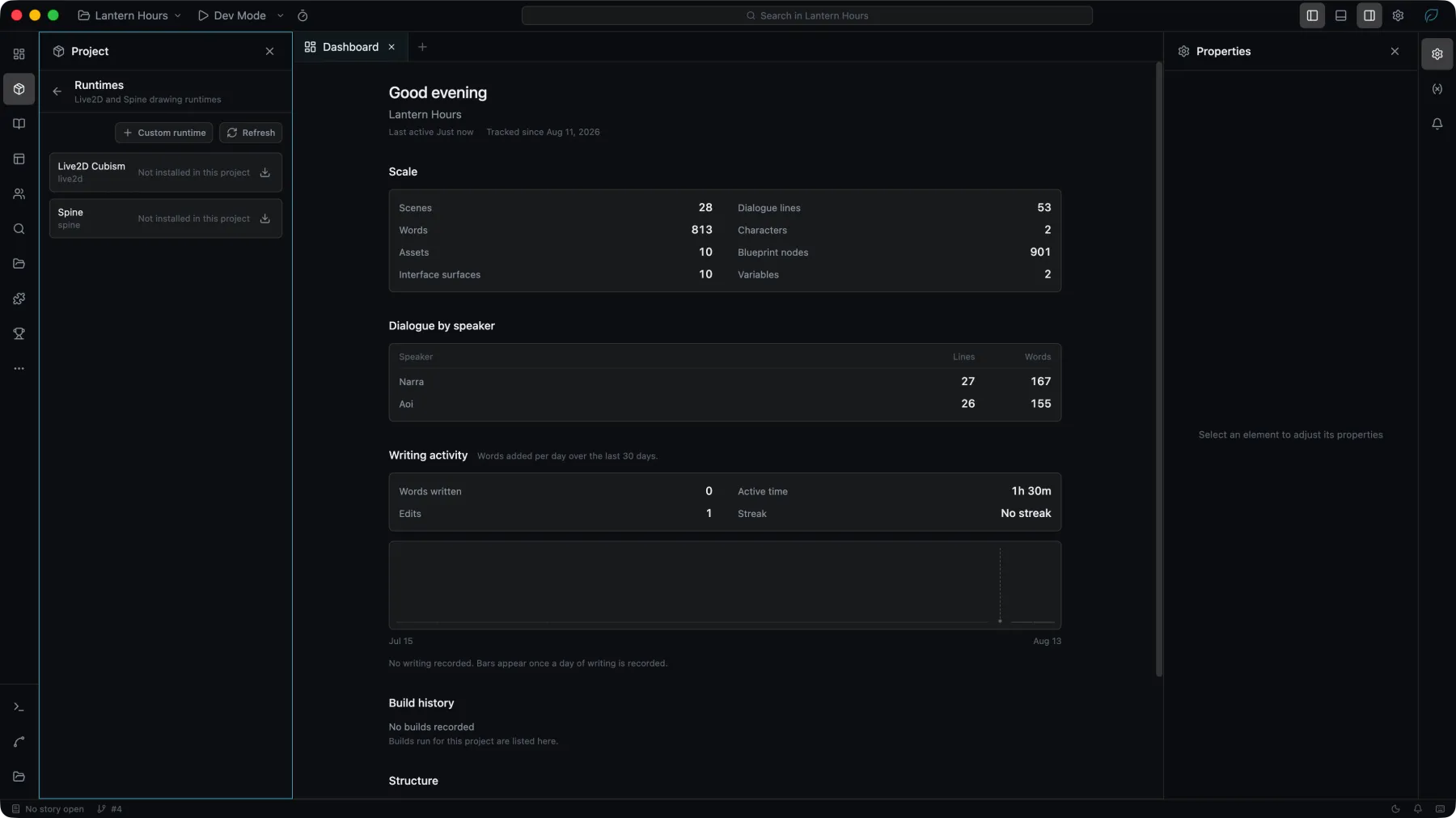
| State | Meaning |
|---|---|
| Installed | index.js is present and loads. |
| Installed but incomplete | The folder exists but has no index.js. The install did not finish, or the wrong archive was extracted into it. |
| Not installed in this project | The folder does not exist. Normal for a project that uses no models. |
The same install flow is reachable from a character that needs the runtime.
A character created on a machine that has the runtime still names it on a machine that does not. The character is not broken and Studio does not rewrite it; it reports Not installed in this project and offers to install. A fresh clone is in this state.
Creating a character
The runtime is chosen when the character is created and cannot be changed afterwards: New character → Live2D Cubism / Spine / Custom runtime. The kind is fixed at creation because the three character kinds share no data, and switching discards what the previous one held.
A new model character has two things to set up:
Drawing runtime
Whether the runtime this character requires is installed on this machine. If it is not, Install opens the flow for that product.
Model
The model itself, as a project asset. A model is a folder — its manifest plus the textures, motions and physics the manifest names — so it is imported as a folder rather than a file. If the project has no model assets yet, the row offers to import one.
The rest of the inspector appears only once both are set, because that content is read from the model: Studio mounts the model through the installed runtime and asks what it contains. Motions, expressions, skins and parameters become lists to pick from, and the preview above them draws the model in its resting pose.
A runtime may decline to report what a model contains. In that case every control is a text field and the names are entered manually; nothing else changes.
Posing from the story
Model characters take four commands, alongside everything ordinary characters take:
| Command | Aliases | Sets |
|---|---|---|
/motion Doll run | /anim | The animation. With no name, clears it and the model rests. |
/face Doll smile | /expr, /expression | The expression. The same command that switches a picture character's pose. |
/skin Doll winter | /costume | The skin, for formats that have them. |
/param Doll ParamAngleX 12 | One numeric parameter of the model. |
Each name comes from what the model reported and is offered as a list.
The corresponding engine element
A model character compiles to the engine's Puppet element: a box the engine owns, whose inside a backend draws. Studio installs that backend and hands it a model; the box itself is the engine's responsibility. When writing a runtime, that page is the contract.